BlackPen brings five security scanners and test management into one console, including checks for APIs (connections between software systems). Security teams can use it on-site or in the cloud to find and track weaknesses.
Use one interface to run, schedule, track and report on security tests.
Check networks, websites, APIs, software packages and email accounts for security weaknesses. Run checks now or on a schedule and review the fixes.
After fixing an issue, rerun the same test to check that the weakness is gone.
Add systems, software connections, websites, package lists or email lists. BlackPen checks each entry before saving it.
Run the scanner that matches each target type, immediately or at a scheduled time.
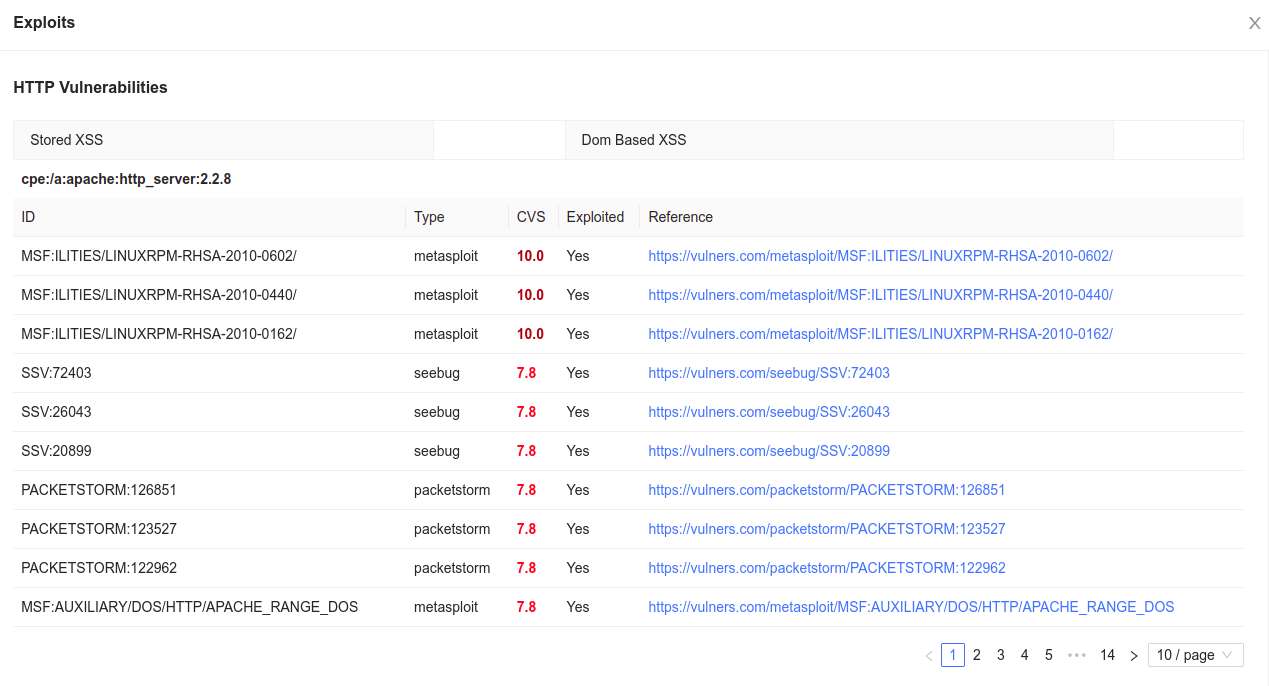
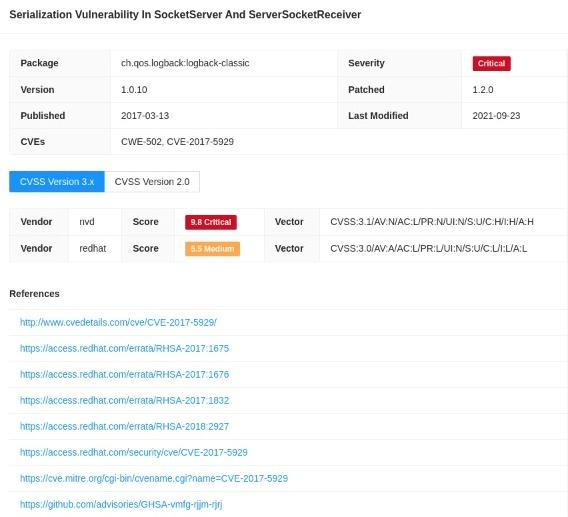
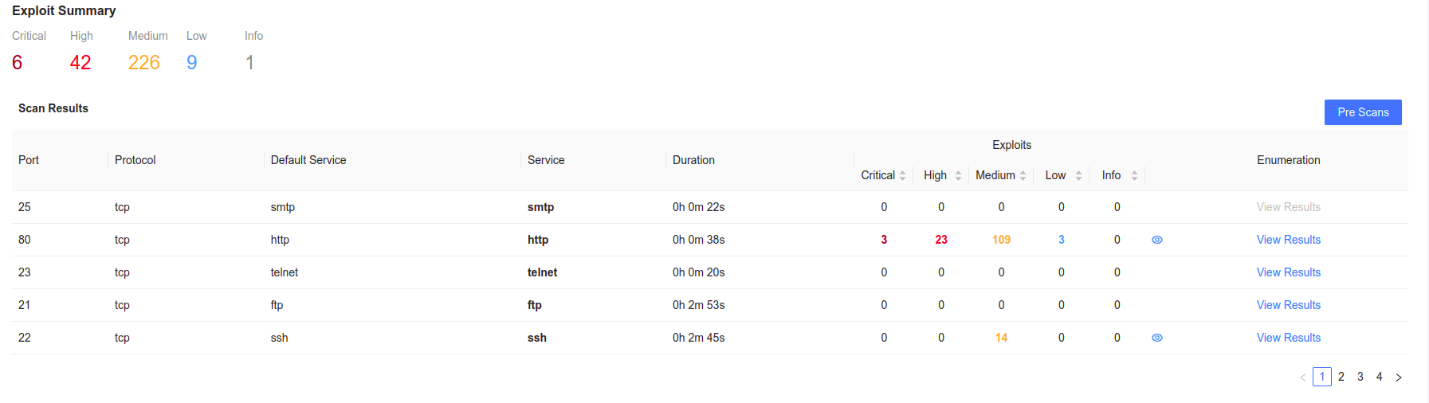
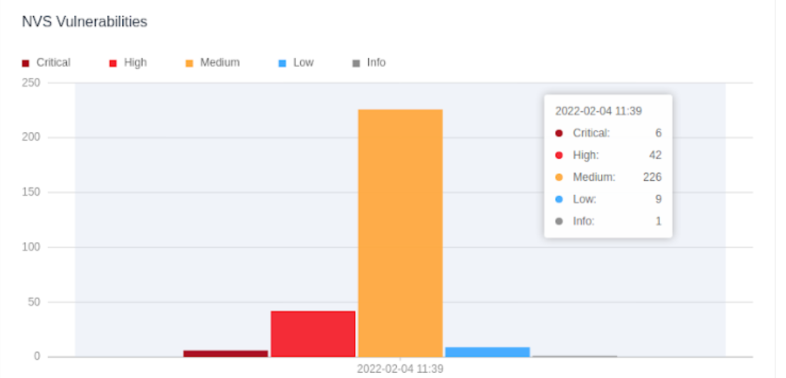
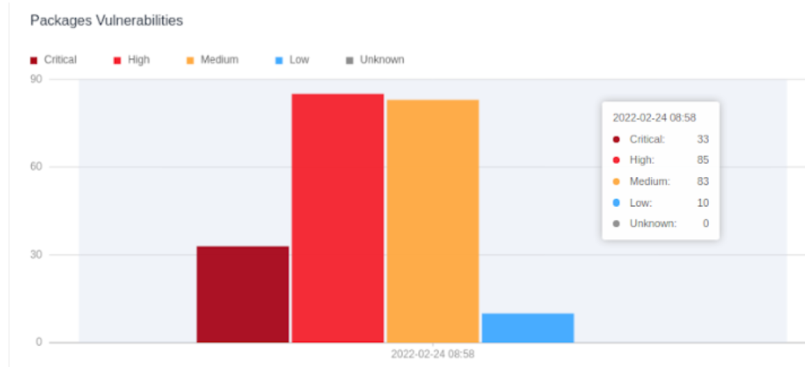
See statistics, findings by severity, linked exploits and clear recommendations.
Remediate, rescan the same target and track progress over time on the dashboard.
The dashboard and target management keep security work organised, visible and repeatable across teams.
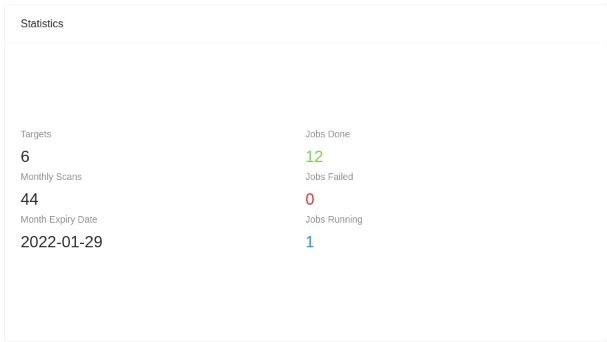
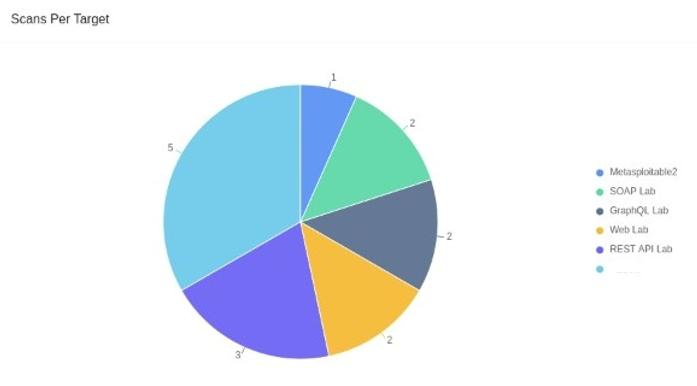
A statistical summary of targets and jobs performed.
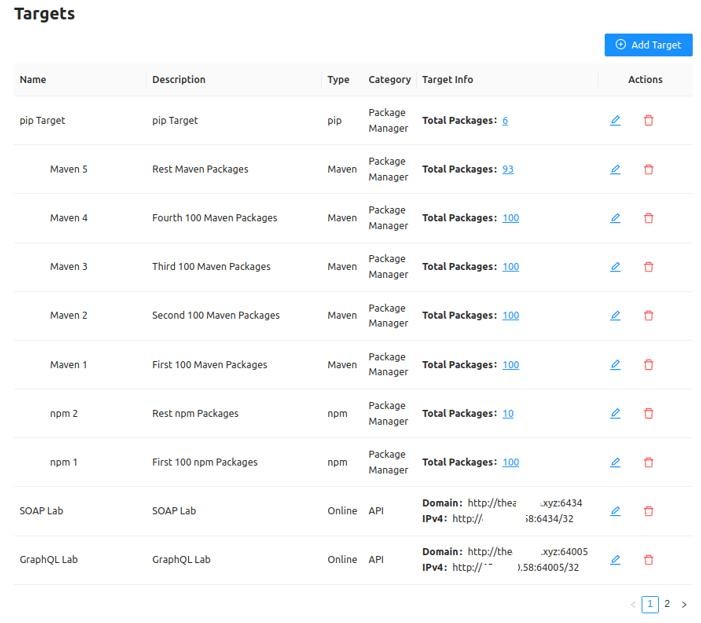
Organise the systems you test, assign scanners, and rerun the same checks after a fix.
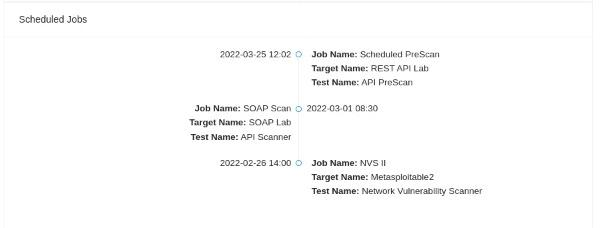
Every scanner job can be scheduled for a specific time or run immediately.
Targets, monthly scans, jobs done, failed and running, all at a glance.
See how testing effort is distributed across your inventory.
BlackPen protects access with two-step sign-in, permissions for specific systems and tests, and a record of user activity.
Administrators can set who may view or manage each system and security test.
Every user activity is logged in detail.
View and filter logs by specific date intervals.
Download logs in CSV format.
Send activity records to a separate logging system for central review.
View the full offload history.
Two-step sign-in for every sign-in.
Book a walkthrough with our security team and we'll show you what BlackPen finds on your networks, APIs and applications.